What you need
On your computer
Section titled “On your computer”MP Forge is made for macOS, Windows and Linux. Where MP Forge stands says how far each of them has been tested.
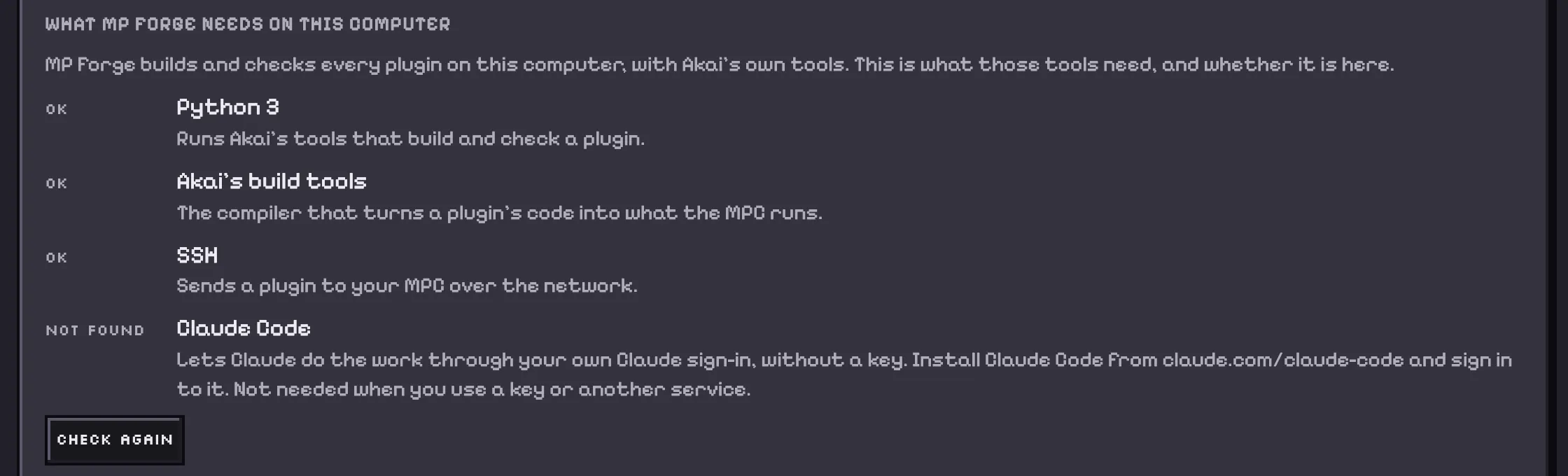
MP Forge looks for what it needs every time it opens. Python and Akai’s build tools it fetches for you when they are missing, so there is nothing to install before you start. You can see the list at any time under Settings → What MP Forge needs on this computer.
To build and check plugins
Section titled “To build and check plugins”MP Forge cannot make a plugin without these two, and it gets both for you. Settings marks each as OK or MISSING.
| What | What it is for | How MP Forge gets it |
|---|---|---|
| Python 3 | Runs Akai’s tools that build and check a plugin. | If your computer has a Python that will do, MP Forge uses it. If not, it fetches one of its own, about 30 MB. |
| Akai’s build tools | The compiler that turns a plugin’s code into what the MPC runs. | Akai’s build script fetches it, about 50 MB. |
Both are kept in a folder of MP Forge’s own. Nothing is installed on your computer and nothing of yours is changed. The Python is one of the standalone builds published by Astral, and MP Forge checks each download against a fingerprint before it opens it.
If either goes missing later, MP Forge fetches it again the next time it opens or the next time you build. If one is marked MISSING, the fetch did not work, most often for want of the network. Press GET WHAT IS MISSING in Settings to try again.
There is no ready-made Python for a few kinds of computer, such as Linux systems that do not use glibc. On
one of those, install python3 and python3-venv with your system’s package manager, then press
CHECK AGAIN.
Optional
Section titled “Optional”Each of these only switches on the one thing it is used for. Settings marks one that is absent as NOT FOUND.
| What | What it is for | How to get it |
|---|---|---|
| SSH | Sends a plugin to your MPC over the network. | It comes with macOS. On Windows, add “OpenSSH Client” under Windows Settings, Optional features. On Linux, install openssh-client. |
| Claude Code | Lets Claude do the work through your own Claude sign-in, without a key. | Install it from claude.com/claude-code and sign in to it. It has to be version 2.1.259 or newer: claude update in a terminal brings it up to date. Not needed when you use a key or another service. |
On Linux
Section titled “On Linux”- Keys and sign-ins are kept in the desktop’s Secret Service, so one has to be running. GNOME Keyring is one.
- Pasting into MP Forge uses
wl-paste,xcliporxsel, whichever is installed.
MP Forge does not come with an AI. You connect one of your own: an account with an AI service, or Ollama for models that run on your computer with no account. Choosing an AI lists them all.
On your MPC
Section titled “On your MPC”Plugins made with MP Forge run on Akai MPC standalone hardware. This is what Akai’s SDK says an MPC needs:
- MPC OS 3.10.1 or later. Older versions cannot load third-party plugins at all.
- External Plugin Support switched on. Under Preferences → Enhancements (Beta), switch on both Enable Enhancements and External Plugin Support.
- A USB drive or an SD card, for the plugin to live on.
To have MP Forge send a plugin over the network, the MPC also needs its developer mode on, and has to be on the same network as your computer. Sending a plugin to your MPC has the steps.
Akai’s SDK lists these as the MPCs its plugins run on: MPC X, X SE, Live, Live II, One, One+, Key 61, Key 37 and Force, and MPC Live III, MPC XL and later. MP Forge builds every plugin for both kinds of chip those use. MPC Studio and other controllers that run on a computer are not among them.